Features
Everything you need to design, theme, and share dashboards.
Built for racers who care about how their data looks. No clunky UI fights, no XML editing, no surprises on the dash.
⊞
Drag-and-drop canvas
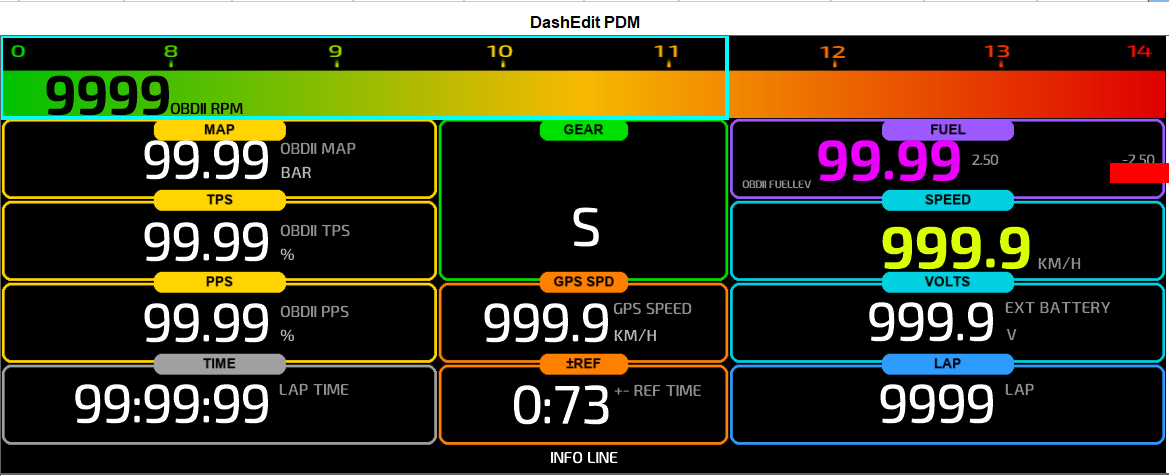
Move, resize, delete elements directly on the dash preview. See the layout exactly as it ships to the device.
✎
Edit artwork in your own editor
Export any box or gauge picture, change it in Photoshop, GIMP or Paint.NET, and put it back. Wrong size is refused; undo puts the old one back.
◐
Theme designer
Change colours, fonts, and backgrounds in a live panel. Save a look as a reusable .dashtheme bundle.
↗
Theme gallery + dashtheme://
Browse community themes. One-click install — dashtheme:// links drop bundles straight into the editor.
≡
PDM multi-overlay
Stack pages as multi-overlay — driver view, tech view, endurance — flip through them on the device.
∷
Every channel from your file
ECU, GPS, A/D, Accel, Gyro, Odometer — whatever the .zconf2 carries, DashEditor offers.
↶
Undo everything
Full undo/redo stack. Move the wrong thing, Ctrl+Z. Delete something, Ctrl+Z. Save, never panic.
⚙
Send debug report
Stuck? Help → Send Debug Report bundles your settings, log tail, and config and ships it to support — one click.
✓
Free config check
Upload your .zconf2 and get a free compatibility report — see if DashEditor will open it before you commit.
↻
Auto-updating
Signed manifest auto-updater. New versions arrive on next launch. Latest release shipping today.